Capture & import
Use the camera or bring photos from your gallery. Keep several pages together as one document.
 ScanCabinet
Your personal document cabinet
Turn paper into clean, print-ready PDFs. Keep every document in its place, add a stamp, and share in a few taps.
Android · Free forever with ads · No account for local scanning
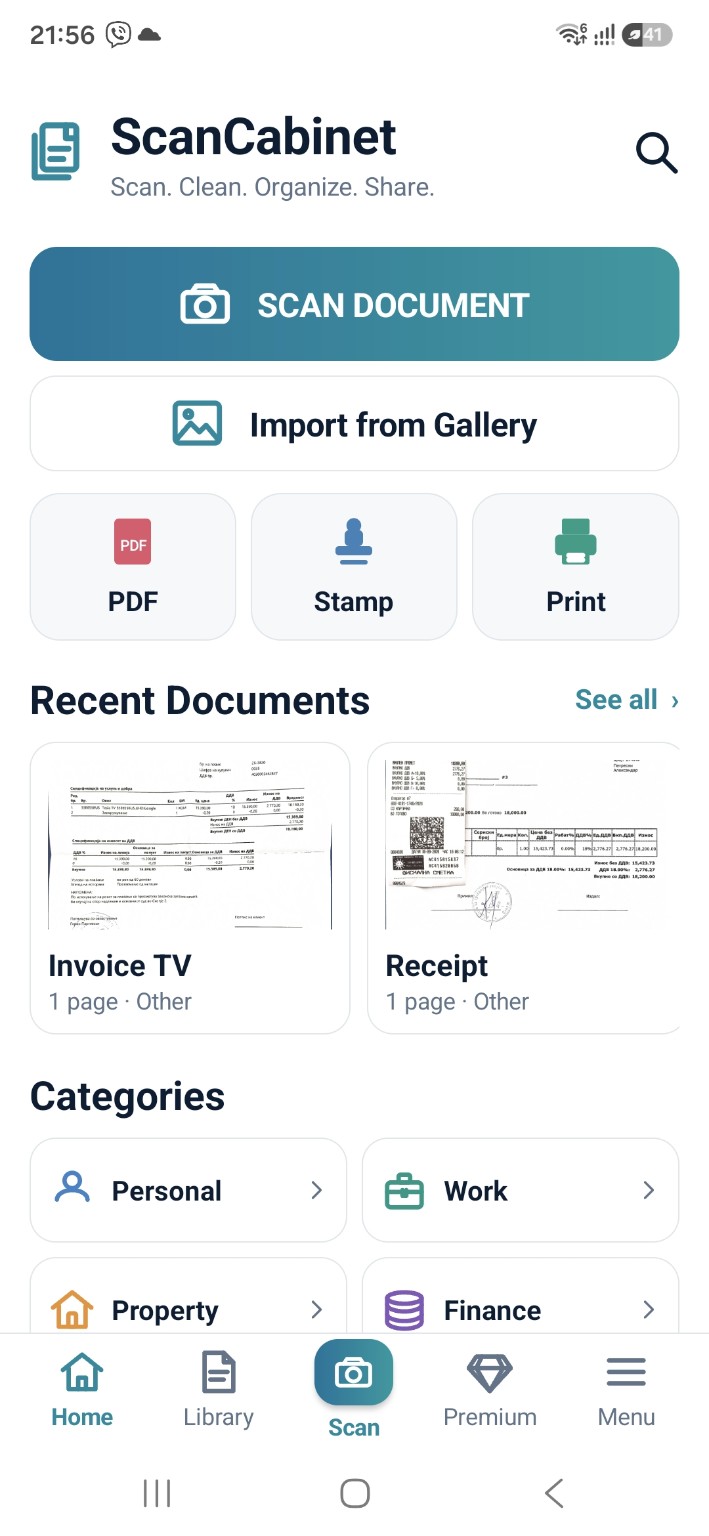
Inside ScanCabinet
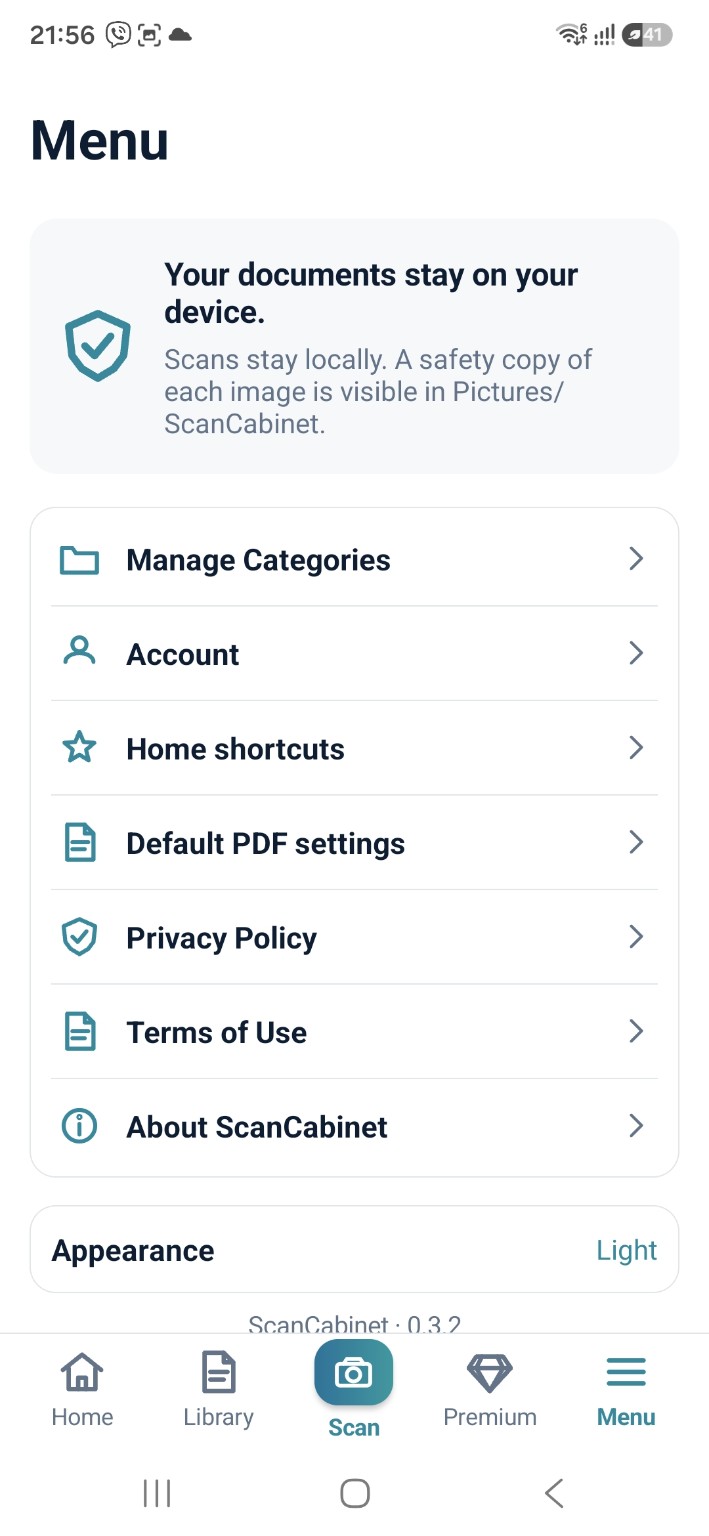
A simple home for invoices, receipts, contracts and everyday paperwork. These are actual screens from the app.
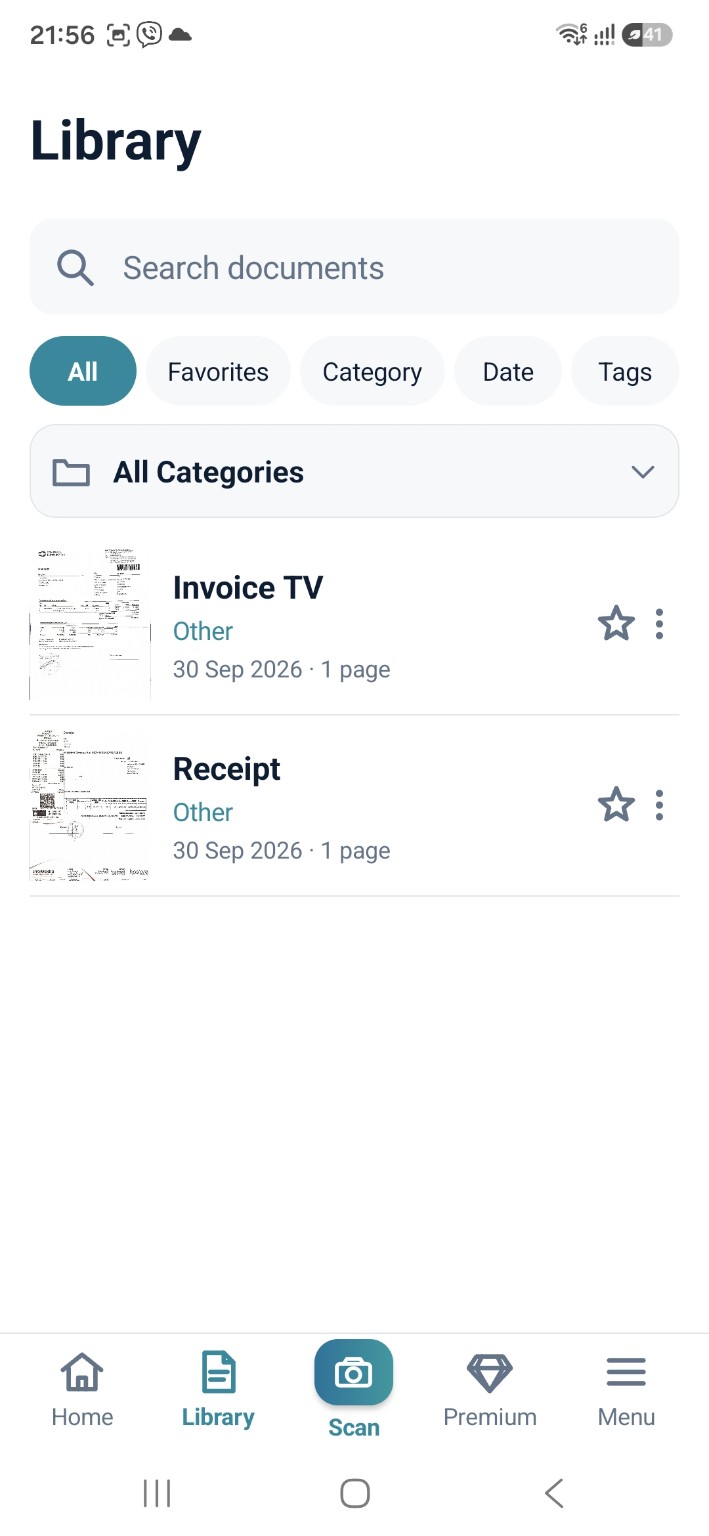
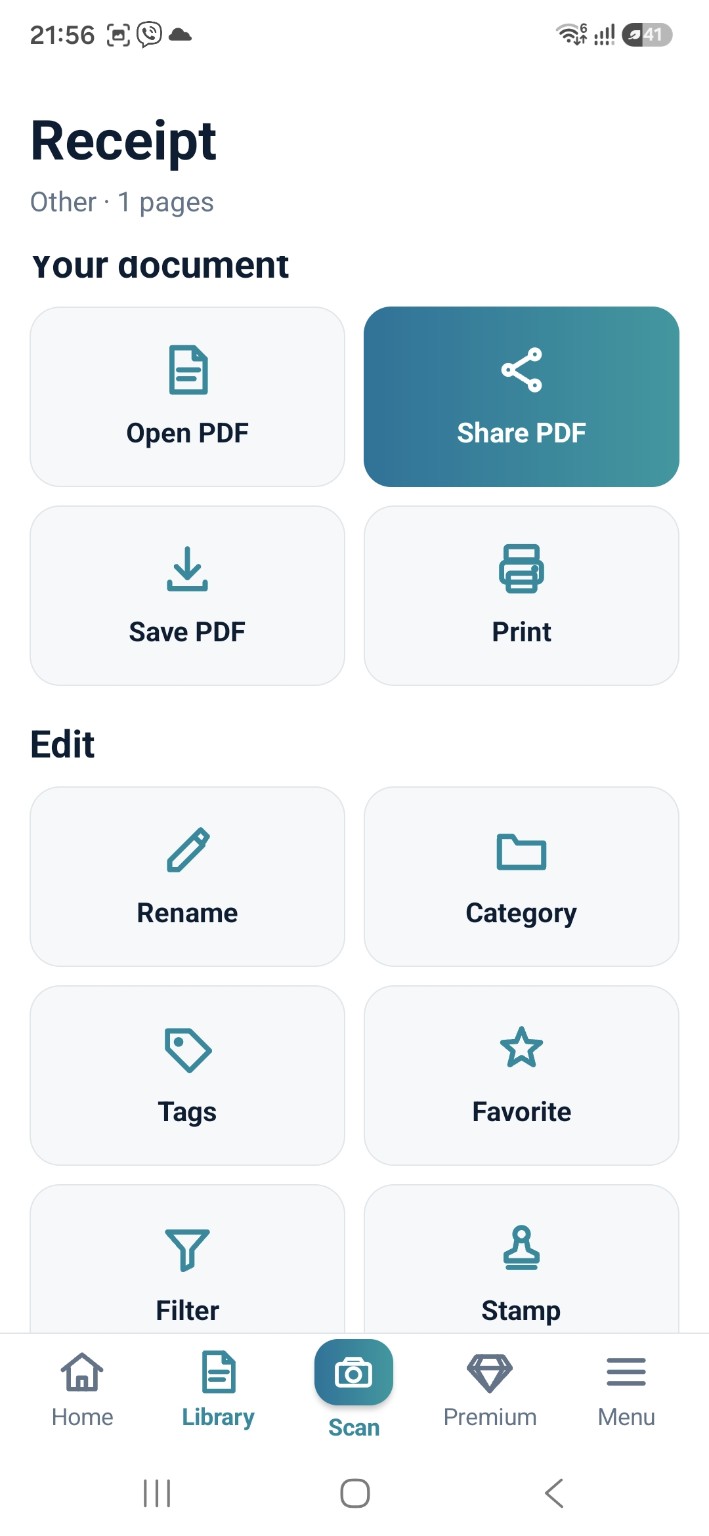
A practical document workflow
Focus on the page. A clean background makes your scan easier to read and avoids printing unwanted background detail.
Use the camera or bring photos from your gallery. Keep several pages together as one document.
Your documents stay in the app after PDF export. Organize them with built-in or custom categories.
Find documents by name. Narrow your library with favourites, categories, dates and tags.
Use COPY, PAID, APPROVED, CONFIDENTIAL and other ready-made stamps. Create your own wording with Pro.
Open or save your PDF, send it through your phone's share menu, or print. Set your preferred PDF defaults.
Remove ads, add custom stamps and protect app access with a PIN. Choose a lifetime unlock or an active Cloud plan.
Local first. Cloud by choice.
Start without an account. Scan, clean, organize and share locally. Upload a backup only when you choose to use cloud features.
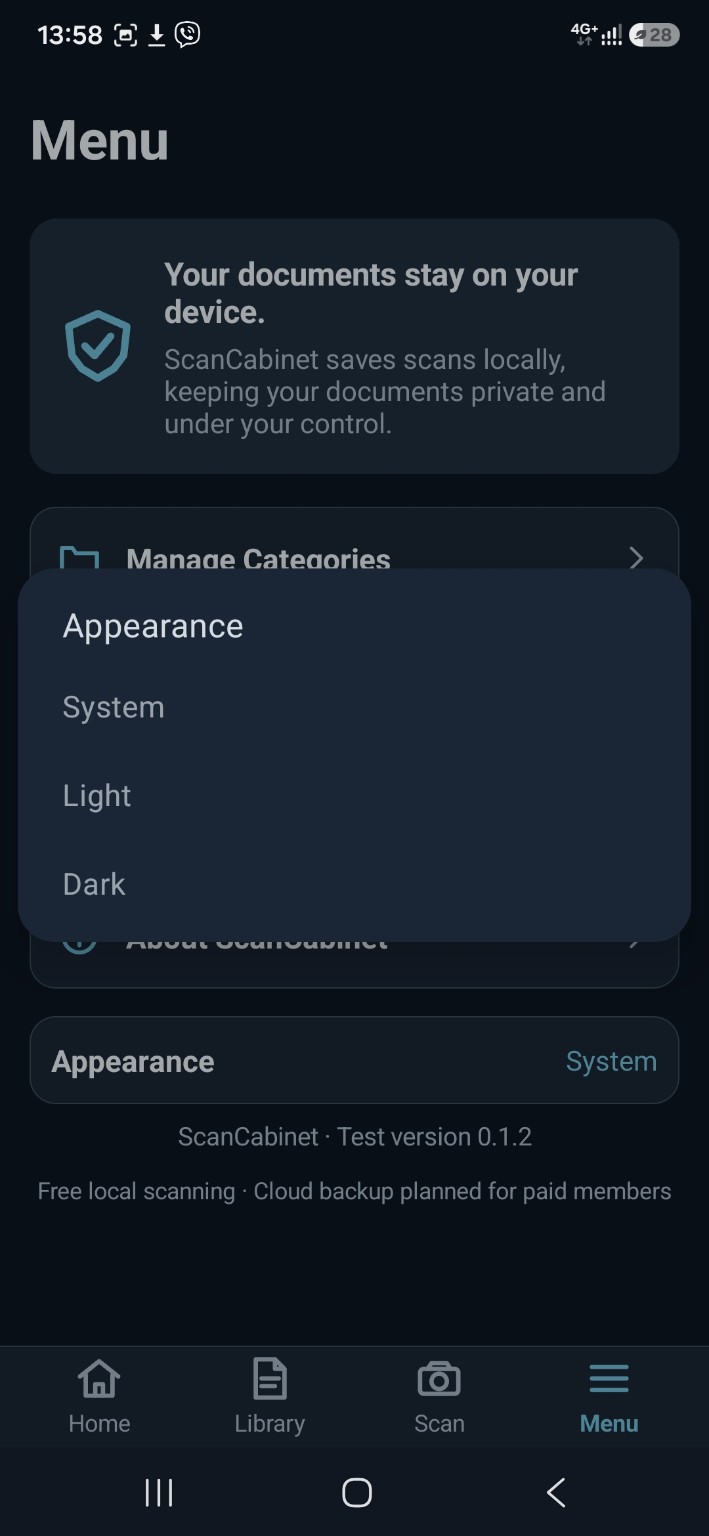
Your preferred appearance
Choose an appearance from the app's Menu.
Simple choices
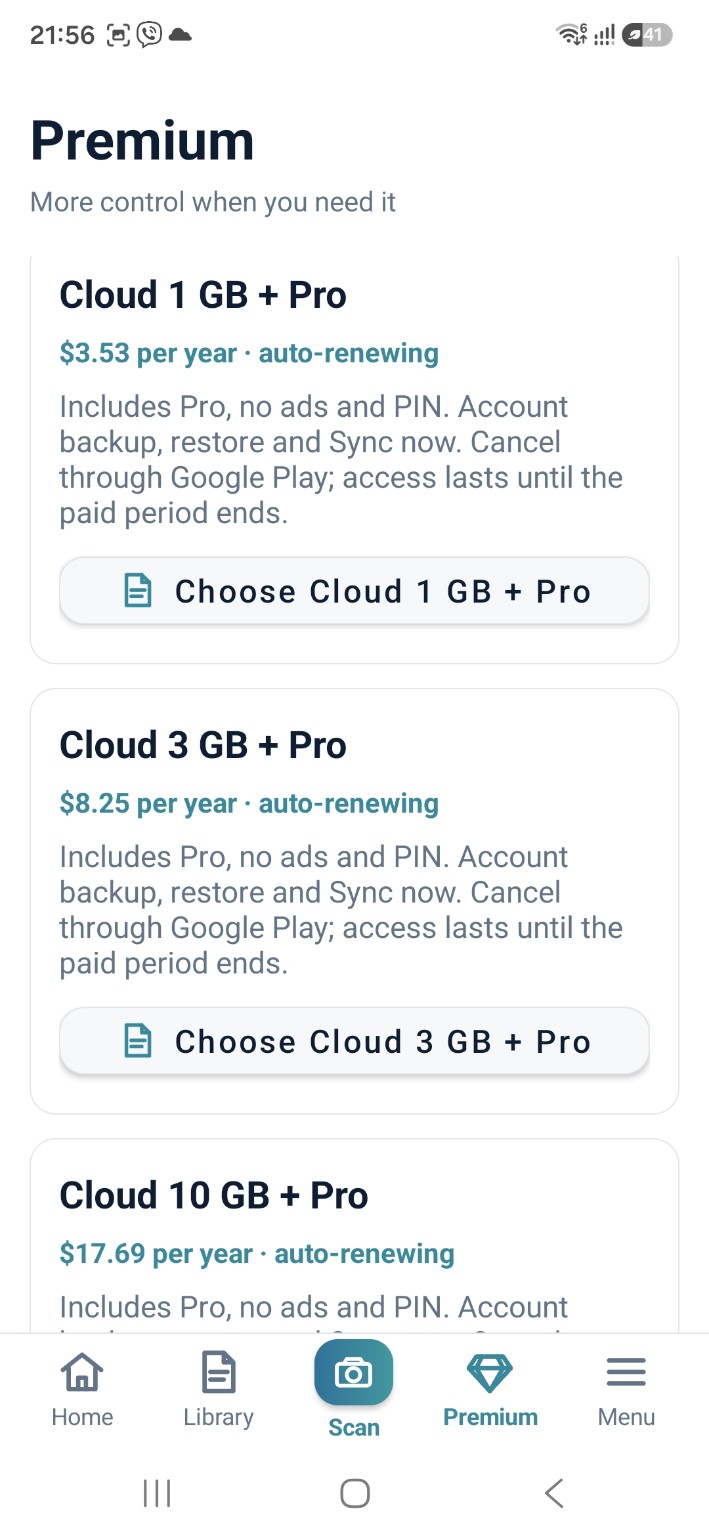
Keep scanning for free with ads. Pay once for local Pro features, or subscribe for cloud storage with Pro included.
Your everyday local document cabinet.
All the essentials, plus local Pro features.
Every cloud plan includes Pro, no ads and PIN while the subscription is active, plus account backup, restore and Sync now.
1 GB of cloud document storage.
3 GB of cloud document storage.
10 GB of cloud document storage.
Reference USD prices. Your final localized price is displayed in Google Play before purchase. Cancel cloud renewal through Google Play; access continues until the paid period ends.
Questions, answered
Yes. Core local scanning, your cabinet, PDF export, sharing and printing stay free with ads. A paid plan is optional.
No. $4.99 is a one-time reference price for lifetime local Pro access. It removes ads and unlocks custom stamps and app PIN protection. It does not include cloud storage.
Yes. All three annual cloud plans include Pro while the subscription is active, along with the selected storage capacity, backup, restore and Sync now.
Free local scanning does not require an account. Sign in to use account backup, restore and cloud features.
Complete a cloud backup on the original phone. On your new phone, sign in to the same account and restore that backup. Documents that were never backed up remain on the original device.
Share a PDF using Android's share menu, including compatible apps such as WhatsApp, Viber, Gmail, Mail or Drive. Printing uses your phone's available print services.